Old Town Truckee, California

by Sherri on May 14, 2009

truckee-ca

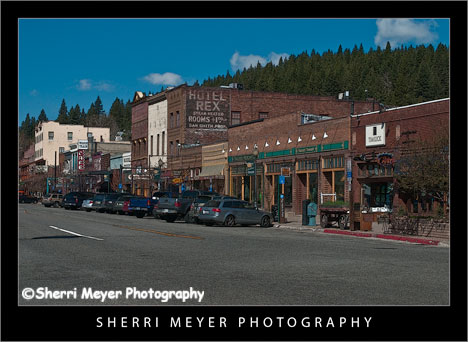
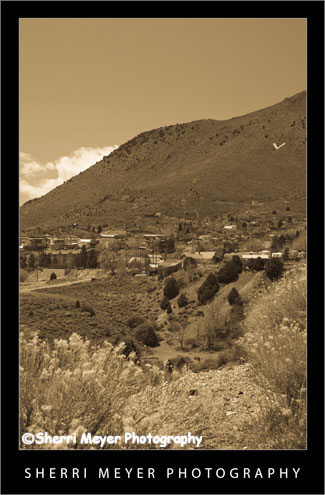
Digital Art photo of Old Town Truckee, California.

Truckee is perhaps one of the most charming and popular mountain towns in California. It is close to Lake Tahoe and offers year-round recreational opportunities.

We stayed in Truckee at the “dog friendly” Inn at Truckee, during our recent road trip. I highly recommend this place if you are visiting the area with your pooch. It is very reasonable, has a spa and hot tub and even includes continental breakfast. It is also close to Old Town, which is one of the areas I was photographing during our stay in Truckee. Our dog, Cocoa, gives it 3 paws out of 4, based on the rating system in the California Dog Lover’s Companion Guide Book.

About the photo:

I used my favorite creative filter in PhotoShop CS3 “Poster Edges” to achieve this look.

Helpful links if you are planning a trip to the Truckee/Lake Tahoe area:

http://www.truckee.com/

http://en.wikipedia.org/wiki/Truckee,_California

http://www.innattruckee.com/home

Thank you for visiting. If you would like to leave a comment, simply click on the “comments” link (add your message in the box) at the bottom of this post.

You can also sign up for a “free” subscription to this Blog. Just look in the upper right hand side of the Blog under “Subscribe to Sherri’s Blog.” Then, either click on the orange button, or enter your email address and click on “subscribe.”

Visit our Stock Photo Website for links to photo galleries.
virginia-city2
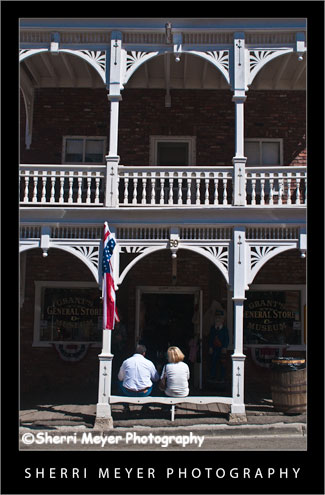
Couple sitting in front of Grant’s General Store & Museum, Virginia City, Nevada.

Virginia City was a fun place to visit. While wandering around town looking for great photo subjects, I spotted this couple isolated from the crowds. What caught my eye was that they were both dressed in white, matching the old building they were sitting in front of. I also loved the way they were so beautifully framed by the arch. Framing your subject is a great way to add impact to your photographs.

Thank you for visiting. If you would like to leave a comment, simply click on the “comments” link (add your message in the box) at the bottom of this post.

You can also sign up for a “free” subscription to this Blog. Just look in the upper right hand side of the Blog under “Subscribe to Sherri’s Blog.” Then, either click on the orange button, or enter your email address and click on “subscribe.”

Visit our Stock Photo Website for links to photo galleries.
Virginia City, Nevada

by Sherri on May 9, 2009

virginia-city
Downtown Virginia City, Nevada.

Jeff & I just had to make it to the ghost town Virginia City during our recent road trip. Neither of us had been there since we were kids. To top that off, my Mom and Dad ran away and got married there over 70 years ago, after knowing each other for just 3 short weeks!

It looked like I remember it, although there are more tourists and it has gotten pretty commercialized over the years. But, all in all, it’s still a fun place to visit!

About the photo

I used the Antique Grayscale Preset in Adobe PhotoShop Lightroom 2, to achieve the “old time” look.

Thank you for visiting. If you would like to leave a comment, simply click on the “comments” link (add your message in the box) at the bottom of this post.

You can also sign up for a “free” subscription to this Blog. Just look in the upper right hand side of the Blog under “Subscribe to Sherri’s Blog.” Then, either click on the orange button, or enter your email address and click on “subscribe.”

Visit our Stock Photo Website for links to photo galleries.

Lake Tahoe, Nevada Panorama

by Sherri on May 6, 2009

tahoe-panorama-1
Lake Tahoe, Nevada Panorama.

Creating a panorama photograph is something I’ve wanted to try for a long time. I guess I was waiting for the right opportunity to present itself. Well, that moment finally happened, while we were visiting the Lake Tahoe area a few days ago.

Can you figure out what vantage point this was taken from? How many photos do you think were taken and stitched together to create this image? How do you think they were stitched together?

I’d love to hear from you. Please leave your answers in the comments section below. I will explain how this Lake Tahoe Panorama was created later on this month, after I receive a few comments.

Thank you for visiting. If you would like to leave a comment, simply click on the “comments” link (add your message in the box) at the bottom of this post.

You can also sign up for a “free” subscription to this Blog. Just look in the upper right hand side of the Blog under “Subscribe to Sherri’s Blog.” Then, either click on the orange button, or enter your email address and click on “subscribe.”

Visit our Stock Photo Website for links to photo galleries.
Panorama Photo Update:

How this photo was created – To create this panorama, Jeff & I each took a series of 4 images. We made sure to overlap each image about 20% and to keep the horizon in approximately the same position in each photo. We decided that the series that Jeff took was the best of the two.

How this photo was developed – Using Lightroom 2.0, Jeff selected the 4 images in the order they were taken. Then he right clicked and selected export to PhotoShop as a panorama. Then PhotoShop automatically stitched the 4 images together. Then all Jeff had to do was crop off the ragged edges.

Quad Adventure in Truckee, California

by Sherri on May 4, 2009

jeff-riding-quad
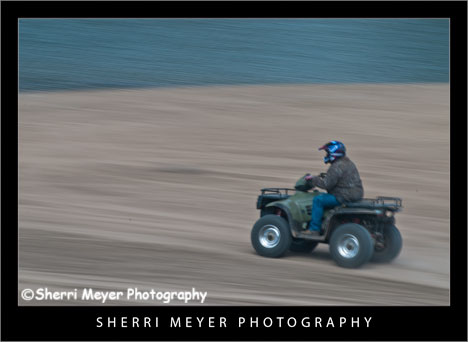
Jeff riding his Quad along the shore of Prosser Reservoir, Truckee, California.

This shot was taken during our recent road trip to the Truckee/Lake Tahoe area to capture travel, adventure and lifestyle photos for our stock files.

The first stop during our road trip was at Prosser Reservoir for a little Quad fun and photos. This photo is one of my favorites from our photo shoot.

Photo Details – In Camera

This pan photo was shot on a Nikon D300 with a Nikon 70-200 zoom lens attached, using the following camera settings: ISO 100, shutter speed 1/10 sec., aperture f 20.

Post processing in Lightroom

I set the Clarity to +100 and the Vibrance to +45.

Thank you for visiting. If you would like to leave a comment, simply click on the “comments” link (add your message in the box) at the bottom of this post.

You can also sign up for a “free” subscription to this Blog. Just look in the upper right hand side of the Blog under “Subscribe to Sherri’s Blog.” Then, either click on the orange button, or enter your email address and click on “subscribe.”

Visit our Stock Photo Website for links to photo galleries.
Wild Iris

by Sherri on April 29, 2009

wild-iris2
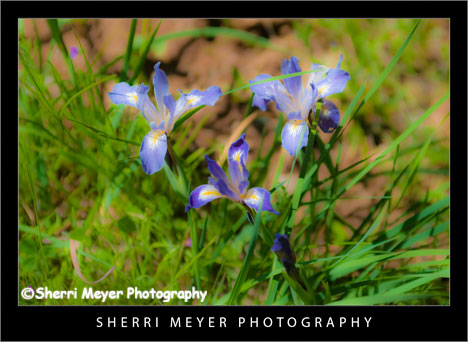
Wild Sierra Iris, Cronan Ranch Regional Trails Park, near Coloma, California.

These beautiful Wild Sierra Iris were growing along the trail at the Cronan Ranch Regional Trails Park, the day of our hike with friends. They are a common wildflower here in the Sierra Foothill’s and can be found along many hiking trails. One of the other places I have found them is at Hidden Falls Regional Park in Auburn.

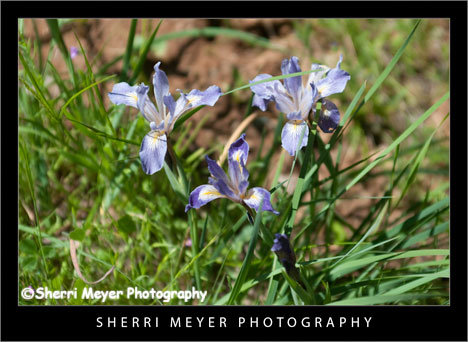
The original image did nothing for me, but I didn’t want to dump it. It was taken at 1:00 in the afternoon under harsh lighting. It also lacked vibrance. I decided to work with it a bit in Lightroom 2 and this is what I came up with. I set the Clarity to -100 to give it a softer look and set the Vibrance to +70, which made the colors pop. wild-iris3
This is what this photo looked like straight out of the camera.

I have 2 questions for my viewers.

1. Which one do you like best?

2. Can you identify this species of Wild Iris?

Thank you for visiting. If you would like to leave a comment, simply click on the “comments” link (add your message in the box) at the bottom of this post.

You can also sign up for a “free” subscription to this Blog. Just look in the upper right hand side of the Blog under “Subscribe to Sherri’s Blog.” Then, either click on the orange button, or enter your email address and click on “subscribe.”

Visit our Stock Photo Website for links to photo galleries.
5 Simple & Fun Lightroom Tips

by Sherri on April 22, 2009

cronan-ranch5

Love Comes Softly movie set at the Cronan Ranch, Pilot Hill, California.

For all you Lightroom lovers out there, here are a few simple tips you can try to improve your photos, or to simply give them a new look.

Want to make your photos look like a painting? You can do this by simply adjusting the fill light. For this photo of the movie set, I adjusted the fill to 45.

Make your colors pop. Try using the Vibrance Slider instead of the Saturation Slider. It will brighten up only the areas that need to be brightened up, not everything in the photo. In this photo of the Narcissus I adjusted the Vibrance to +100.

Add “punch” to your photos using Clarity. Clarity adds midtone contrast to your photos, which makes them appear to have had the midtones sharpened. For this photo of the famous McArthur-Burney Falls in Northeastern California, I set the Clarity to +100.

Give your photos a soft, diffused look using Clarity. To achieve a soft look, try adjusting the Clarity in the negative direction. In my photo of the Mystery Rider, I adjusted the clarity to -100. This also works really well when shooting portraits.

Turn your color photo into an antique looking photo. You can do this easily by using the Antique Grayscale (similar to Sepia) Preset. Check out this photo of the Three Amigos.

There is really no right or wrong. Just experiment and have fun!

Thank you for visiting. If you would like to leave a comment, simply click on the “comments” link (add your message in the box) at the bottom of this post.

You can also sign up for a “free” subscription to this Blog. Just look in the upper right hand side of the Blog under “Subscribe to Sherri’s Blog.” Then, either click on the orange button, or enter your email address and click on “subscribe.”

Visit our Stock Photo Website for links to photo galleries.
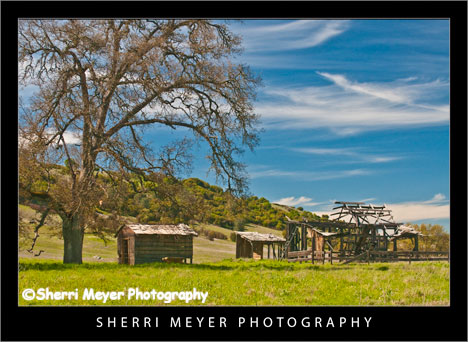
Take a Hike!

by Sherri on April 20, 2009

baby-boomers
Baby Boomers take a hike at the Cronan Ranch Regional Trails Park, Pilot Hill, California.

Last weekend, Jeff and I rounded up a group of our “Baby Boomer” friends and returned to our new favorite place to hike in the Sierra Foothill’s, the Cronan Ranch Regional Trails Park near Coloma. [click to continue…]

A Shot in the Dark

by Sherri on April 15, 2009

bonfire
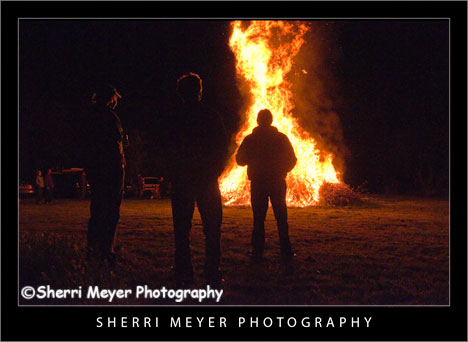
Three men standing around a bonfire in silhouette, Auburn, California, taken with the Nikon D300.

This shot was taken at the annual April Fools party we attend nearly every year. I have always wanted to photograph the bonfire, but not bad enough to set up a tripod or use high speed film.

Now that I have a Nikon D300, I decided to give it a try. I am very impressed with the quality of images that can be produced with this camera at night. It’s also a lot of fun. If you own one of these cameras, I encourage you to go out for a night shoot and give it a shot.

How I got the shot

Camera settings for ISO, Shutter Speed and Aperture are as follows: ISO 3200, SS 1/400 sec., f 7.1.

Thank you for visiting. If you would like to leave a comment, simply click on the “comments” link (add your message in the box) at the bottom of this post.

You can also sign up for a “free” subscription to this Blog. Just look in the upper right hand side of the Blog under “Subscribe to Sherri’s Blog.” Then, either click on the orange button, or enter your email address and click on “subscribe.”

Visit our Stock Photo Website for links to photo galleries.
My Twitter Background Photo

by Sherri on April 10, 2009

twitter-background-photo
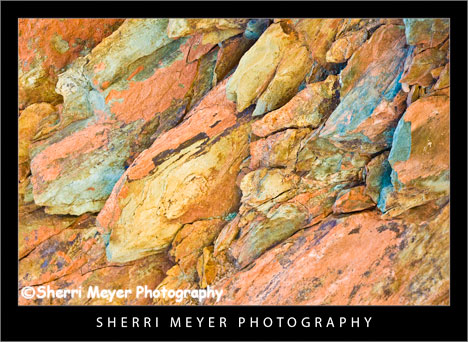
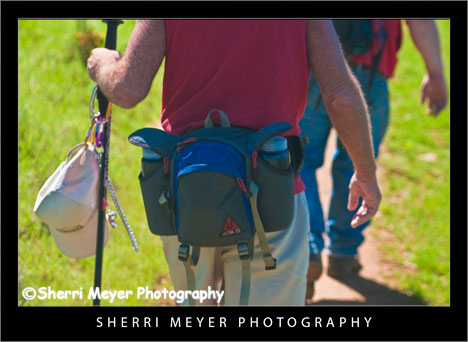
Close up photo of a rock outcropping along the Stagecoach Trail, Auburn, California.

Those of you following me on Twitter will recognize this photo. It is my background photo on my Twitter home page. I thought since it made my Twitter home page, I may as well feature it in a Blog post.

It would be great if more of my Blog followers would become Twitter followers and more of my Twitter followers would become Blog followers. All you have to do is click on the Twitter Widget on the sidebar of this Blog. If you are already a Twitter user, then click on “login.” If you are not, then click on “follow.”

You can also Retweet any post on this Blog by clicking on the lime green “Retweet” button. Retweeting is a very powerful Twitter tool, that can help your Twitter ranking in a BIG way and I will benefit too if you retweet my posts. That makes it a “Win-Win situation!”

Thank you for visiting. If you would like to leave a comment, simply click on the “comments” link (add your message in the box) at the bottom of this post.

You can also sign up for a “free” subscription to this Blog. Just look in the upper right hand side of the Blog under “Subscribe to Sherri’s Blog.” Then, either click on the orange button, or enter your email address and click on “subscribe.”

Visit our Stock Photo Website for links to photo galleries.