More Lake Faucherie Photos

by Sherri on July 24, 2007

Our annual camp out is coming up. We have decided to return to Lake Faucherie in the Sierras, where Jeff & I did a “scouting” trip last summer and took a few pics. This time we plan to spend a few days in the area and bring back several memory cards full of photos. A few of our friends will join us for another great time of adventure, laughter, eating, drinking, relaxing and more.

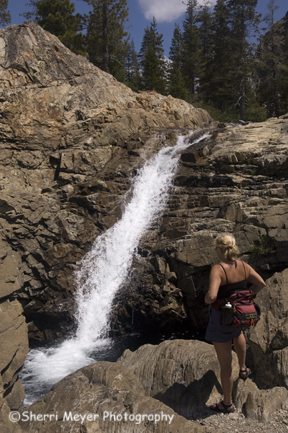
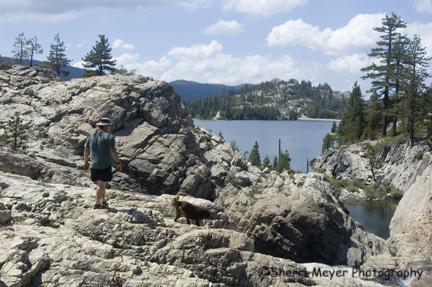
Here are some pics from our scouting trip last year.

 sherri-faucherie.jpg

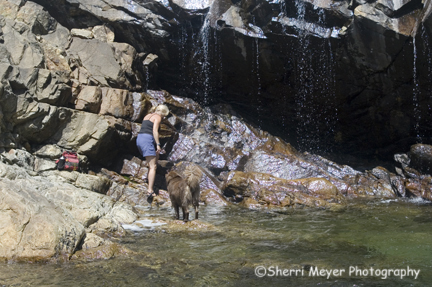
Photo – Sherri at one of the many beautiful waterfalls at Faucherie

jc-faucherie2.jpg

Photo – Jeff & Cocoa heading back toward the lake

 sc-faucherie.jpg

Photo – Sherri & Cocoa enjoy the pool below the waterfall featured in the photo above

We will be adding many images from our upcoming trip to our galleries later this summer. Check back often to see what’s new and what’s coming soon!

How to Create Great “Zooms”

by Sherri on July 13, 2007

tundra-zoom.jpg

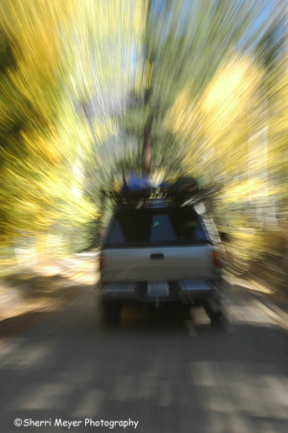
Photo #1 - Tundra with kayaks, Alpine County, CA. This photo was shot at 1/15 sec as the Tundra was moving.

“Have you become obsessed with one aspect of photography?” That was a question asked recently on one of the photo forums I contribute to. That got me thinking. Lately, it seems I have a “love affair” with zooming.

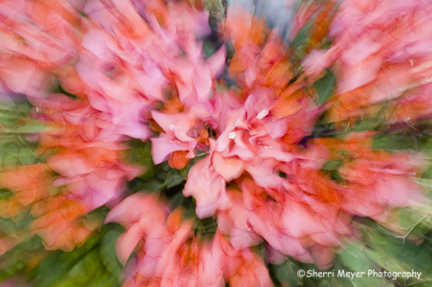
Zooming is similar to panning, but instead of following the subject with your camera as it moves across your field of view, you zoom the lens in or out during your exposure. This creates a streaking effect around the edges of your photograph, while keeping the center of your photograph fairly sharp.

flower-zoom.jpg

Photo #2 - Bougainvilleas, Cabo San Lucas, Baja California. This photo was shot at 1/5 sec. I also fired my flash.

Tips for creating great zooms

  1. You can use either a stationary or a moving subject.
  2. You need to use a slow shutter speed (1/15 sec or slower works best). You will need to use a low ISO, unless you are working under really low light. Try adding either a polarizer or a neutral density filter to let less light in when not working under low light, which will let you use a slower shutter speed.
  3. This is a great technique to use when there is not adequate light to capture a standard image.
  4. A flash can also be used while zooming.
  5. Keep your camera as still as possible. A tripod is recommended, althought I rarely use one for this.
  6. Experiment with different shutter speeds and lenses for different effects.
  7. During your zoom, try to zoom in or out as smoothly as possible for the best results.

Feel free to add your zooming tips. You do not need to register or login to comment on this blog.

Happy zooming!

jc-faucherie.jpg 

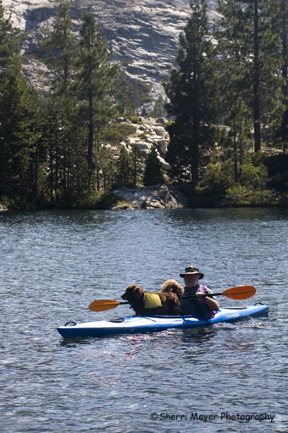
Photo – Jeff and Cocoa kayaking Lake Faucherie, Sierras, CA 

Last week we added a few new Kayaking Stock Photos to our kayaking gallery. The photo above is one of them. My husband and our dog are kayaking on “Dog Friendly” Lake Faucherie, a beautiful, serene lake in the Sierras.

Most people we talk to can’t believe that we can actually fit our 80 lb. Aussie/Chocolate Lab dog in our boat with us, much less paddle. It’s not easy,but it can be done as you can see here in this photo. I took a series of the two of them and this is one of my favorites.

This photo is available for purchase in our Kayaking Stock Photo Gallery.

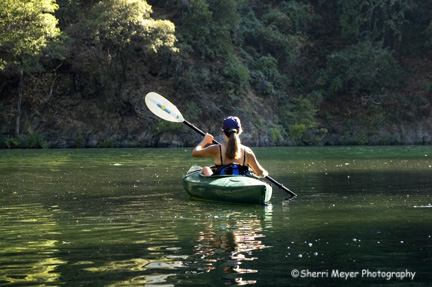
peg-kayak-2.jpg 

Photo – Peg Challender kayaking at Lake Clementine, Auburn, CA 

We have just added new kayaking images to our galleries. The photo featured above is one of the new images now available in our Kayaking Stock Photo Gallery. They can be licensed as high-resolution, rights-managed images, or ordered as prints.

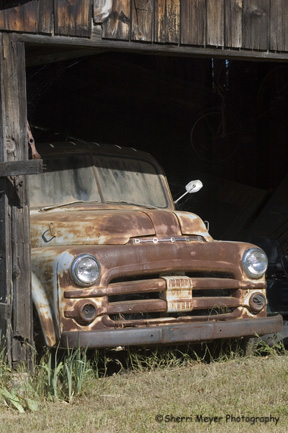
old-truck.jpg 

Photo – Old truck in rural Auburn, CA

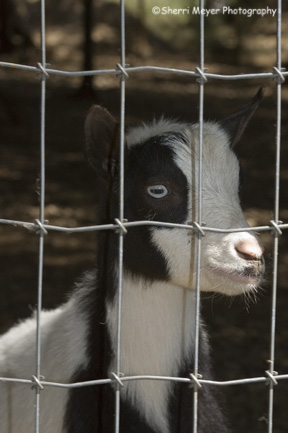
A few weeks back, I posted a photo tip titled “Shoot it before it’s too late!” Since that post, I have been following my own advice and making it a priority to shoot the subjects I’ve wanted to shoot for a long time, but have taken for granted and assumed they would always be around. I have also been shooting subjects that I know will never be the same again, such as the baby goat in the photo below. He is growing daily!

peter.jpg

Photo – “Peter” is one of 3 baby goats next door.

The photos above “The Old and the Young” both taken in my neighborhood, are examples of recent subjects I have captured before it’s too late! 

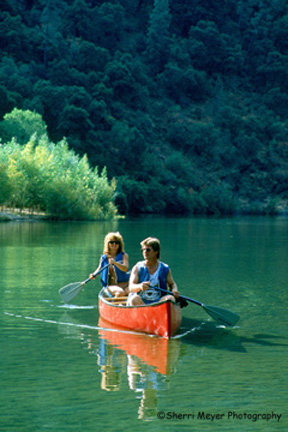
bobby-john.jpg

Photo – couple canoeing on Lake Clementine, Auburn, CA 

Try paddling Lake Clementine. It’s great for canoeing and kayaking. It’s mostly flatwater, with a few rapids at the upper end where the North Fork of the American River flows into the lake. The water is very warm during the summer months and there are several sandy beaches along the shoreline. So, pack a picnic lunch, load up the boats and head for one of the best paddling lakes in the area! 

Getting There:

Lake Clementine is located off the Auburn-Foresthill Road, approximately two miles from Auburn.  From I-80 in Auburn, exit at Foresthill, drive 3.5 miles on Foresthill Road, turn left onto Lake Clementine Road. It’s about 2 miles down to the boat dock, via a paved road. You can also access the lake at the upper end, by driving a little further up on Foresthill Road, turning left and driving about 2 miles, via a dirt road. The dirt road is bumpy in places, but most vehicles can make it just fine.  I prefer to enter the lake from the upper end. This way you avoid most of the speed boats and it’s by far the prettiest part of the lake. 

For more information:

Click here  for more information on Lake Clementine.

The image above is available for purchase as a fine art print, or for licensing as a high-resolution, rights-managed image in our Auburn Stock Photo Gallery.

Check back often to see what’s new. We will be adding new Auburn images on a regular basis, as well as more blog posts on recreating in the Auburn area. Please feel free to comment if you have any questions about Lake Clementine. You do not need to register or login to comment on this blog!

Life is a little out-of-balance!

by Sherri on June 11, 2007

balance.jpg 

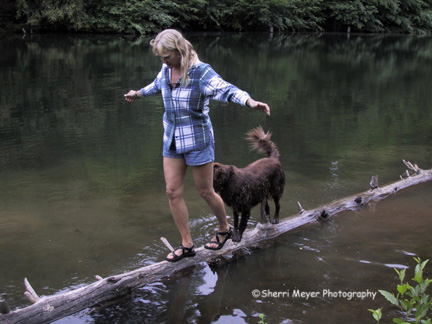
Photo by Peg Challender – Sherri and dog Cocoa, near Auburn, CA

I was looking through my photos for an image that would illustrate balance. I came upon this one of my dog and I walking accross a log in a rural pond near Auburn, CA .

That wasn’t an easy task, nor is trying to balance my life right now. I, like most people have to juggle many things and it seems things get out of balance so easily. If I spend too much time on business, then the house falls apart. If I spend too much time on the house, the business falls apart. If I spend too much time on the business and the house, the yard falls apart and the list goes on. You get the picture right?

That’s why I haven’t been blogging for a few days. I was spending way too much time on the computer and not near enough in other areas of my life.  After spending a few days catching up on yardwork, housework, visiting with family and friends, I’m now back to blogging!

If anyone has a recipe for balancing your life, I’d love to hear from you! You do not need to register or login to comment on this blog.

How to Shoot Great Pans!

by Sherri on May 31, 2007

bike-racer.jpg

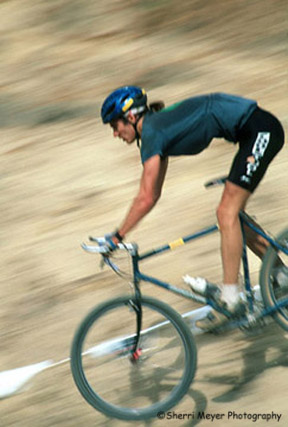
Photo #1 – Mountain Bike Racer, Colfax, California.

There have been a few questions lately on different forums regarding panning photos. So I decided to post my tips for panning success here on my blog.

If you are not sure what panning is, let me explain. Have you ever seen a photo where the subject is in focus and the background is blurred? That is a pan.  Panning is great for showing motion, eliminating unwanted backgrounds and when working in low light.

About a decade ago, I wanted to get proficient at shooting action, so I started photographing mountain bike races. It was during that time that I learned how to pan.

Here are my tips for success.

  1. In order to achieve good panning results, you need to shoot the subject at or near the speed it is traveling. For instance, if shooting a mountain bike racer traveling at approximately 8 MPH, use a 1/8 sec. shutter speed.
  2. Subjects moving fairly fast work the best.
  3. You will need to use a slow film, or the slowest ISO on your digital camera, unless you are working in low light.
  4. To slow your shutter speed down even more, you can add a polarizer.
  5. Set your desired shutter speed and determine where you plan to take the photo. Begin tracking your subject well before it reaches that spot. Depress the shutter as the subject passes your predetermined spot and contiunue to follow the subject until it has passed you. If your camera has a continuous shooting mode, take a series each time the subject passes by.
  6. Although it is recommended that you use a tripod to achieve great results, I rarely use one.

Photo #1 – The mountain biker was traveling at approximately 8 MPH, so I shot him at 1/8 sec. In order to accomplish the results I wanted, I used Fuji Velvia 50 film. There was way too much light that day, so to be able to use that slow of a shutter speed even with the slow ISO 50 film, I had to add a polarizer. I did not use a tripod for this shot.
donna.jpg

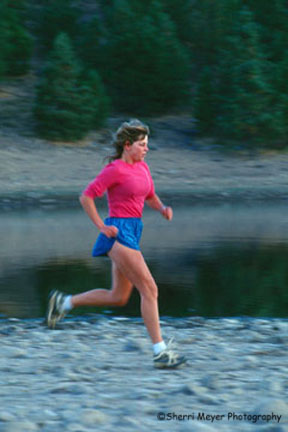
Photo #2 – Donna Bussinger running at Stampede Reservoir, near Truckee, California.

My friend Donna was running at approximately 4 MPH, so I shot this one at 1/4 sec. This was taken early in the morning, so I did not have to add a polarizer. It was shot with either Fuji Velvia 50 or Fuji Provia 100. I did not use a tripod for this shot either.
tundra.jpg

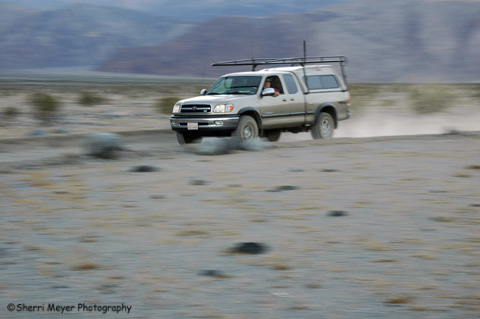
Photo #3 – Jeff Meyer driving the Tundra, near Stovepipe Wells in Death Valley, California.

This shot of my husband Jeff blasting down a dirt road in Death Valley, was taken at at 1/30 sec., as he was traveling at approximately 30 MPH. It was taken with a digital camera set at ISO 200 during the late afternoon, so a polarizer was not needed. Again, no tripod was used.
digital-art-of-t-shirt-shop.jpg 

Digital art photo of T-shirts, made from an original photograph 

While Jeff & I were gobbling down our first authenic Mexican Tacos during our recent trip to Cabo, we couldn’t help but notice the variety of t-shirts available. We didn’t really have time to read them all, so I decided to take a photo of this display instead and read them later. 

Hot photo tip round-up

by Sherri on May 22, 2007

It’s time for a round-up. Not the usual kind of round-up, but a photo tip round-up of 16 hot photo tips that I have posted in the past. You will need to go to my photo tips category to read the tips in their entirety. 

If you have any photo tips you would like to add, please feel free to do so by commenting. You do not need to register and login to add a comment on this blog!

Thanks for visiting and check back often to see what’s new!

  1. When in doubt, leave it out – the sky that is!
  2. Find a unique perspective.
  3. Try a 10-minute photo shoot.
  4. Shoot in themes.
  5. Set up self-assignments.
  6. Use dramatic lighting.
  7. Shoot it before it’s too late.
  8. Move closer.
  9. Get it right in the camera first.
  10. Frame your subject.
  11. 10 ways to shoot a subject.
  12. Use contrasts for added impact.
  13. Try squinting.
  14. Shoot multiple frames.
  15. Always carry a spare battery.
  16. The color red – don’t leave home without it.