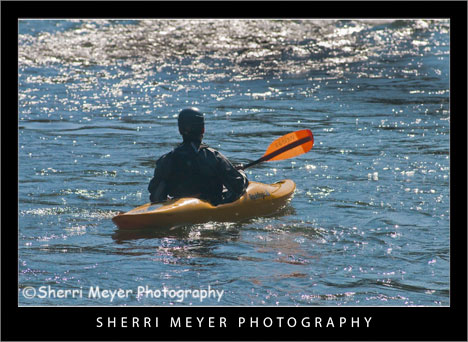
Photo #1 - Kayaking on the South Fork of the American River, near Coloma, California.
Today’s makeover is just for fun. This photo probably wouldn’t cut it for publication, but we don’t have to be serious all the time do we?
Every since I started using Lightroom 2, I haven’t done much with PhotoShop CS3. I used to love playing around with the filters and the distort filter Spherize was one of my favorites.

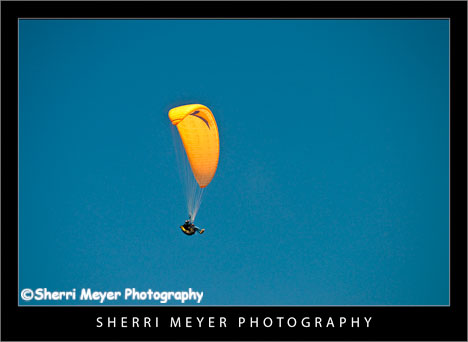
Photo #2 - This is what the photo looked like straight out of the camera.
The Makeover – (Lightroom)
- Created a Virtual Copy.
- Set White Balance to daylight.
- Used the Nikon D300 preset.
- Increased the Highlight Recovery to tone down the hot spots.
- Increased the Luminance Smoothing to reduce the unwanted noise.
The Makeover – (PhotoShop CS3)
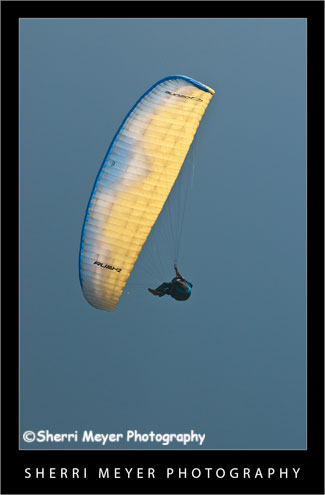
I used the distort filter Spherize. What I like about this filter is that it brings the subject in closer. It also kind of looks like the photo has a frame around it.
I hope you enjoyed this “Monday’s Makeover.” Opinions are always welcome!
Thank you for visiting. If you would like to leave a comment, simply click on the “comments” link (add your message in the box) at the bottom of this post.
You can also sign up for a “free” subscription to this Blog. Just look in the upper right hand side of the Blog under “Subscribe to Sherri’s Blog.” Then, either click on the orange button, or enter your email address and click on “subscribe.”
Visit our Stock Photo Website for links to photo galleries.