Morning Paddle on Utica Reservoir

by Sherri on August 26, 2009

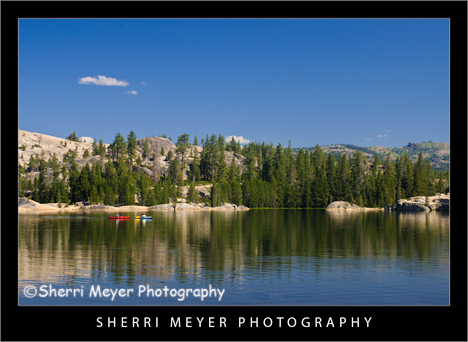
Morning paddle on Utica Reservoir, Alpine County, California.

Morning paddle on Utica Reservoir, Alpine County, California.

Jeff and I have kayaked and canoed on a lot of beautiful lakes and reservoirs in Northern California. If I had to choose the top 5 best places we have ever paddled, Utica Reservoir would definitely be one of them!

5 reasons why it is in the top 5.

  1. The water is warm, clear and has a sandy bottom.
  2. There are many islands to paddle to and camp on.
  3. The water is calm most of the time.
  4. The scenery is beautiful in every direction.
  5. It’s not too big or too small. It’s the perfect paddle lake!

You can read more about Utica Reservoir here.

I have many more images to share from our recent trip. I will be spacing them out a bit, as we are in the middle of some very BIG Website projects. For that reason, I will also be spending less time on Twitter and Facebook, until those projects are a little further along.

Thank you for visiting. If you would like to leave a comment, simply click on the “comments” link (add your message in the box) at the bottom of this post.

You can also sign up for a “free” subscription to this Blog. Just look in the upper right hand side of the Blog under “Subscribe to Sherri’s Blog.” Then, either click on the orange button, or enter your email address and click on “subscribe.”

Visit our Stock Photo Website for links to photo galleries.
Top 10 Lightroom Tweets of the Week

by Sherri on August 21, 2009

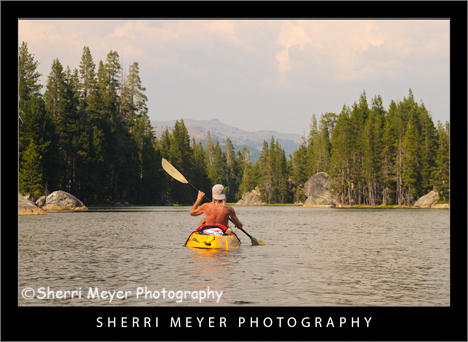
Man kayaking on Utica Reservoir, Alpine County, California.

Man kayaking on Utica Reservoir, Alpine County, California.

This photo was captured as Jeff, Kim and I were heading for the Lily Pond that Jeff had discovered earlier that day. We were starting to get a little nervous, as thunder bumpers were rolling in. The last place we wanted to be during a storm is in a boat on the lake!

Fortunately, the threatening looking sky rolled out of there about as fast as it rolled in. We were happy little kayakers once again! [click to continue…]

Best of the Best Lightroom Tweets of the Week

by Sherri on August 14, 2009

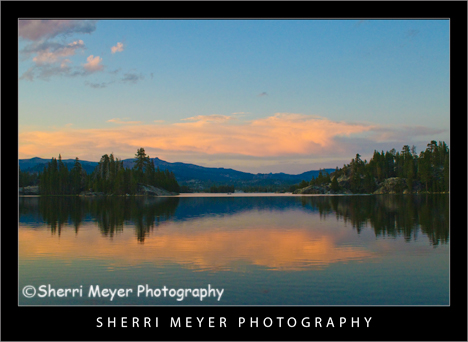
Utica-Reservoir-5

Sunset at Utica Reservoir, Alpine County, California.

You can just about count on a great sunset and sunrise at Utica Reservoir. When we first visited this mind blowing place 26 years ago, our experience was no different. You can read all my posts about Utica Reservoir here.

This week I have a surprise for YOU! I went through all of my past “Lightroom Tweets of the Week” and handpicked some of the ones that have been most helpful to me up until now.

Which ones have been the most helpful to you?

Please let me and the other readers of this blog know your answers, by leaving a comment in the comments section below. Many thanks!

Here are the “Best of the Best Lightroom Tweets of the Week!”

  1. @LightroomQueen Use LR for contact sheets, verses PS for more control. It also saves as it goes. Add your ID plate 2 personalise.
  2. @ dianeschuller Scott Kelby’s book http://tinyurl.com/nmzwtu is a must have to get the most out of Lightroom.
  3. @ephotopros Lightroom 2 Twip: Experiment on a virtual copy, not the original. CTRL/Command ‘ to make a virtual copy.
  4. @MattKloskowski on Lightroom Killer Tips – Don’t forget about History > http://twurl.nl/k2x2nx.
  5. @xequals if you haven’t been playing with the Luminance sliders in Lightroom you’re missing out! http://x-equals.com/blog/?p…
  6. @RichLeighton Lightroom Keyboard Shortcut Quick Reference http://bit.ly/BORl2.
  7. @gmwils Watching Terry White’s Lightroom workflow video: http://bit.ly/pt6hz.
  8. @ashumittal Creating a Triptych in Lightroom http://bit.ly/1Tjc8.
  9. @MattKloskowski Posted another Before/After Lightroom & Photoshop tutorial on my blog. Check it out http://tiny.pl/3k6d.
  10. @pixum Add a light Source in Lightroom in 5 Easy Steps. http://bit.ly/77jkl

In case you missed my previous “Top 10 Tweets of the Week” posts, you can view them all by clicking on the Top 10 Tweets of the Week category on the sidebar of this Photo Blog.

You can retweet (RT) this post, by clicking on the lime green retweet button at the bottom of this post. It will take you directly to Twitter. If you don’t know about the importance of retweeting, please refer to this post by Jim Goldstein.

Thank you for visiting. If you would like to leave a comment, simply click on the “comments” link (add your message in the box) at the bottom of this post.

You can also sign up for a “free” subscription to this Blog. Just look in the upper right hand side of the Blog under “Subscribe to Sherri’s Blog.” Then, either click on the orange button, or enter your email address and click on “subscribe.”

Visit our Stock Photo Website for links to photo galleries.
Family Kayaking on Utica Reservoir

by Sherri on August 12, 2009

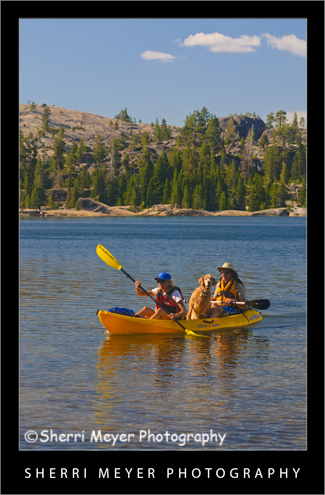
Utica-Reservoir-3

Couple and their dog kayaking on Utica Reservoir, Alpine County, California.

This is a very typical scene at Utica Reservoir. If you are into kayaking or canoeing and you have a dog or two, then Utica Reservoir is for YOU!

We fit right in here. We have a dog and we love to kayak and canoe. I’ve never seen so many people paddling with their dogs as I did here. It was really fun to witness!

More photos of our adventure to Utica Reservoir to come!

Thank you for visiting. If you would like to leave a comment, simply click on the “comments” link (add your message in the box) at the bottom of this post.

You can also sign up for a “free” subscription to this Blog. Just look in the upper right hand side of the Blog under “Subscribe to Sherri’s Blog.” Then, either click on the orange button, or enter your email address and click on “subscribe.”

Visit our Stock Photo Website for links to photo galleries.
Sunrise at Utica Reservoir

by Sherri on August 10, 2009

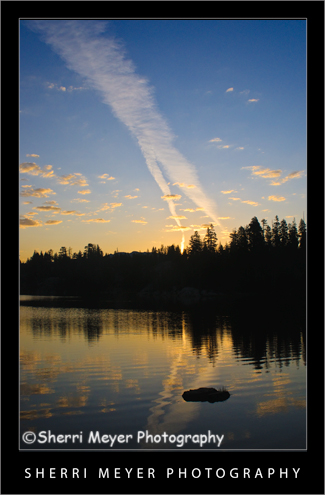
Utica-Reservoir-2

Sunrise at Utica Reservoir, Alpine County, California.

This photo was taken the first morning during our camping trip to Utica Reservoir. Typically, I like to include people in my photographs, but I had to bag that idea for this photo. I was the only one up!

More photos of our adventure to this magical place to come!

Thank you for visiting. If you would like to leave a comment, simply click on the “comments” link (add your message in the box) at the bottom of this post.

You can also sign up for a “free” subscription to this Blog. Just look in the upper right hand side of the Blog under “Subscribe to Sherri’s Blog.” Then, either click on the orange button, or enter your email address and click on “subscribe.”

Visit our Stock Photo Website for links to photo galleries.
Back to Reality

by Sherri on August 5, 2009

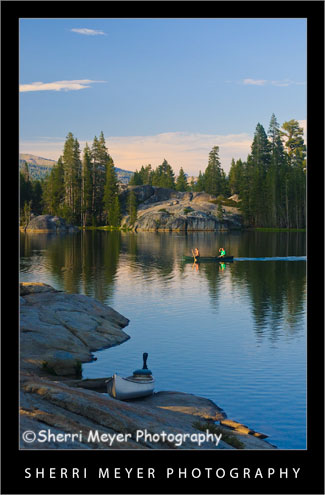
Utica-Reservoir

Canoeing on Utica Reservoir, Alpine County, California.

We are back. We just spent 6 days at Utica Reservoir and it is just as wonderful as it was 26 years ago!

This photo is one of many I will be sharing during the coming weeks. We came back with hundreds of fresh images and we covered just about everything on our shoot list. It was one of the most successful photographic adventures to date.

Things are quite piled up around here everywhere you look. I sure hope we don’t have any drop-in company any time soon. It looks like a tornado touched down in our house.

That said, I’m not quite sure when the next post will be. But, hopefully it will be worth the wait.

Be back soon.

Thank you for visiting. If you would like to leave a comment, simply click on the “comments” link (add your message in the box) at the bottom of this post.

You can also sign up for a “free” subscription to this Blog. Just look in the upper right hand side of the Blog under “Subscribe to Sherri’s Blog.” Then, either click on the orange button, or enter your email address and click on “subscribe.”

Visit our Stock Photo Website for links to photo galleries.
What’s New & Our Travel Plans

by Sherri on July 27, 2009

Photo-Collage

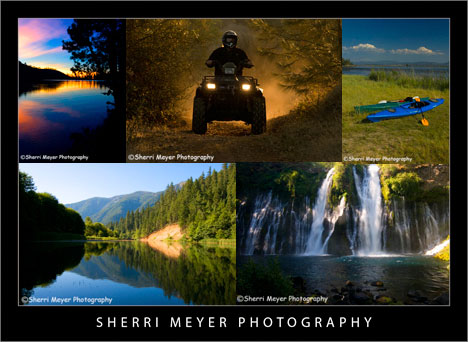
The images in this collage are some of our favorite images, that have appeared on this blog during the last year.

What’s New

We have been really busy lately, accomplishing a few projects and getting a start on other projects before taking off for a few days.

You may have noticed, this Photo Blog has a new look. We are now using a new theme called Thesis. It isn’t free, but it is money well spent. It makes blogging so much more simplified and you can customize it to suit your own needs. You can get Thesis here.

We are also in the process of developing a large collection of new active baby boomer images. We hope to have them in our galleries soon after returning from our trip. After our return, we will also be making a few changes to our Website.

Before I forget, there is one other thing that I want to mention. I have started a new group on Facebook called “Adobe Photoshop Lightroom.” If you currently use Lightroom or are planning to use it, this group might be of interest to you. To join, click on this Adobe Photoshop Lightroom link.

Our Travel Plans

We will be heading out on Wednesday 7/29 for a few days. We will be camping in Alpine County, California. Other counties we will be traveling through are: Placer, El Dorado, Amador, Calaveras and Tuolumne. We are leaving the computer behind. My eyes need a break from the screen BIG time! I’m sure some of you can relate to this. We will also be without Internet Service. That will give us more time for photographing and adventure! Following is a partial list of subjects we plan on shooting during our visit to Alpine County.

Photo Shoot List

  1. Kayaking
  2. Canoeing
  3. Hiking
  4. Camping
  5. Baby Boomers
  6. Cooking (Dutch Oven)
  7. Fishing
  8. Relaxing
  9. Nature
  10. Landscapes
  11. Gold Rush Towns along Highway 49

Note: My next post will be on August 4th or 5th!

Thank you for visiting. If you would like to leave a comment, simply click on the “comments” link (add your message in the box) at the bottom of this post.

You can also sign up for a “free” subscription to this Blog. Just look in the upper right hand side of the Blog under “Subscribe to Sherri’s Blog.” Then, either click on the orange button, or enter your email address and click on “subscribe.”

Visit our Stock Photo Website for links to photo galleries.
Top 10 Lightroom Tweets of the Week

by Sherri on July 24, 2009

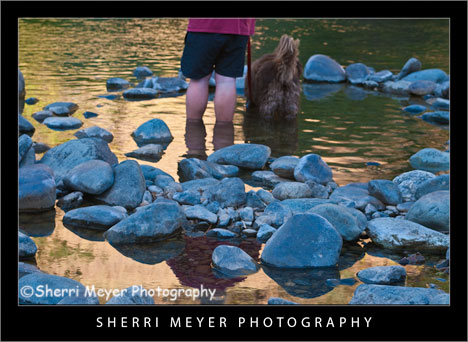
J&C-American-RiverJeff & Cocoa cooling off in the North Fork of the American River, Auburn, California. I think I shall title this photo “Rear View!”

While down at the river Monday evening, I couldn’t resist capturing these two wading in this little kiddie pool. In particular, I wanted to get a unique composition of them!

It’s Friday again and time for 10 more HOT Lightroom Tweets. Here they are in no particular order.

  1. @LightroomQueen New blog post: TheLightroomLab.com reviews my book http://bit.ly/Otuc0.
  2. @gavinseim Hitting the \ key (backslash) in Develop mode will switch you between before & after views of your image.
  3. @MattBallard Lightroom Workflow: How To Get Your Photos To Look Like They Did On Your Camera LCD http://bit.ly/iOXeX.
  4. @micurs Optimizing Lightroom for Best Performance: Top Ten Lightroom Speed Tips – http://tr.im/sJGu.
  5. @nyip Outstanding lightroom tutorials http://www.jkost.com/lightr…
  6. @mwgray 27 FREE Presets and a PHD in Toning in Lightroom, get your credentials here – http://x-equals.com/blog/?p…
  7. @gavinseim Just updated the free Lightroom print template presets. You can get them here http://bit.ly/s2joE.
  8. @lightroomblog LRB Portfolio updated to 2.13. Bug fixes, new features, etc. http://bit.ly/M6lcm.
  9. @heninger Lightroom Tuesday! Tips, Tricks n’ Tutorials 4 the enlightened workflowist http://heninger.org.
  10. @gavinseim How to install and MANAGE Lightroom presets http://bit.ly/qn3A0. Back em up folks. Back everything up!

In case you missed my previous “Top 10 Tweets of the Week” posts, you can view them all by clicking on the Top 10 Tweets of the Week category on the sidebar of this Photo Blog.

You can retweet (RT) this post, by clicking on the lime green retweet button at the bottom of this post. It will take you directly to Twitter. If you don’t know about the importance of retweeting, please refer to this post by Jim Goldstein.

Coming next week – I will be in the woods next week. My Top 10 Tweets will resume in 2 weeks!

Thank you for visiting. If you would like to leave a comment, simply click on the “comments” link (add your message in the box) at the bottom of this post.

You can also sign up for a “free” subscription to this Blog. Just look in the upper right hand side of the Blog under “Subscribe to Sherri’s Blog.” Then, either click on the orange button, or enter your email address and click on “subscribe.”

Visit our Stock Photo Website for links to photo galleries.
Monday’s Makeover: My Neighborhood

by Sherri on July 13, 2009

Rural-Auburn-CA

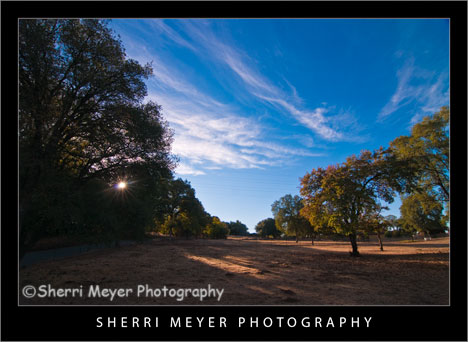
Photo #1 - My neighborhood, rural Auburn, California.

While looking through my images this morning for an image to makeover, I came across this one. This is very much the way the lighting would look at this location if we were walking right now.

Rural-Auburn-CA-2

Photo #2 - This is the way the photo looked straight out of the camera.

Can you guess what I did to photo #2 below to get the results you see in the top photo? Bring on the guesses. I’d love to hear from you. While it’s pretty tough to guess exactly what all was done, some of you come pretty darn close. I will reveal the answers later in the week. Thank you in advance for your participation!

Thank you for visiting. If you would like to leave a comment, simply click on the “comments” link (add your message in the box) at the bottom of this post.

You can also sign up for a “free” subscription to this Blog. Just look in the upper right hand side of the Blog under “Subscribe to Sherri’s Blog.” Then, either click on the orange button, or enter your email address and click on “subscribe.”

Visit our Stock Photo Website for links to photo galleries.
Monday’s Makeover Update:

Well, I didn’t get a whole lot of responses, but thanks to Matt and Hali for your participation! Here is what I did in Lightroom to improve my original photo:

  1. Made a virtual copy.
  2. Set white balance to daylight.
  3. Set recovery to 10.
  4. Set fill light to 25.
  5. Set blacks to 0.
  6. Set clarity to 50.
  7. Set vibrance to 80.

NOTE: Unfortunately, I don’t have time to post a Monday Makeover this week. I have taken on a few new projects that are eating up my blogging time.

hiker-canyon-creek

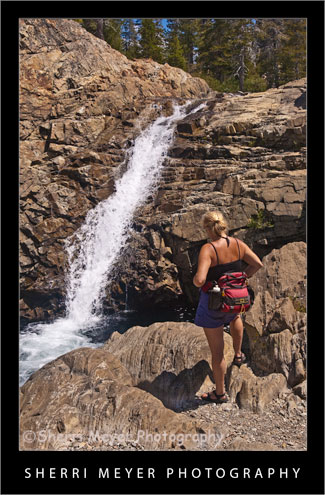
Photo # 1 - Hiker viewing one of several waterfalls on Canyon Creek, near Lake Faucherie, Tahoe National Forest, California.

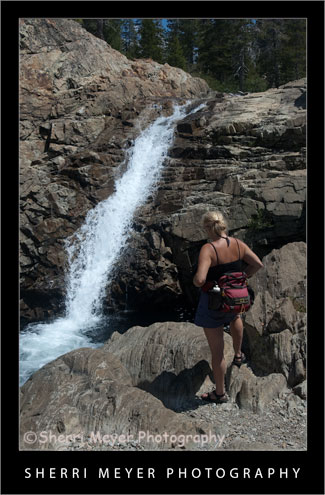
Can you guess what I did to photo #2 (below) in Lightroom to achieve the results you see in #1? This week I’m doing something a little different with my Monday Makeover. Instead of telling you what I did, I am curious to see if you can guess what I did. I will let the cat out of the bag, after I get a few responses.

hiker-canyon-creek2

Photo #2 - This is what the photo looked like straight out of the camera.

Thank you for visiting. If you would like to leave a comment, simply click on the “comments” link (add your message in the box) at the bottom of this post.

You can also sign up for a “free” subscription to this Blog. Just look in the upper right hand side of the Blog under “Subscribe to Sherri’s Blog.” Then, either click on the orange button, or enter your email address and click on “subscribe.”

Visit our Stock Photo Website for links to photo galleries.
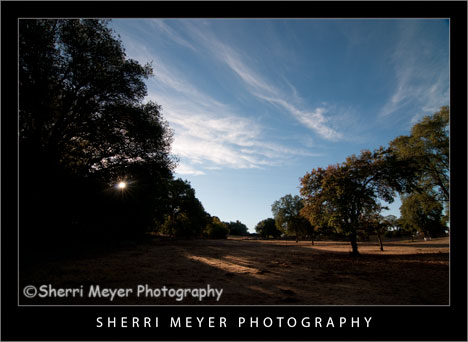
Photo Update – the cat is out of the bag! (July 10th)

Thanks to all of you that gave your best shot at guessing what I did during this photo makeover. I won’t make you wait a minute longer. I am now letting the cat out of the bag. Here is what I did to the original photo in Lightroom 2.

  1. Set White Balance to daylight.
  2. Set the Fill Light to +40.
  3. Set the Clarity to +100.
  4. Set the Vibrance to +70.

That’s it folks. Thanks again for your participation and for your patience!