by Sherri on September 18, 2009
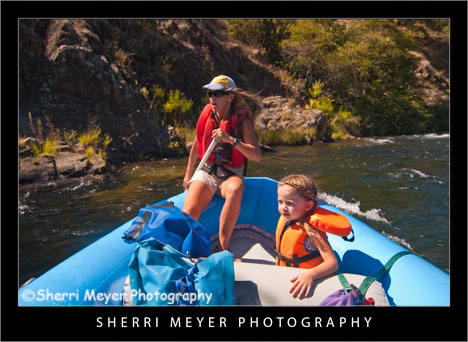
Donna & Maya Bussinger rafting on the Middle Fork of the American River, Auburn, California.
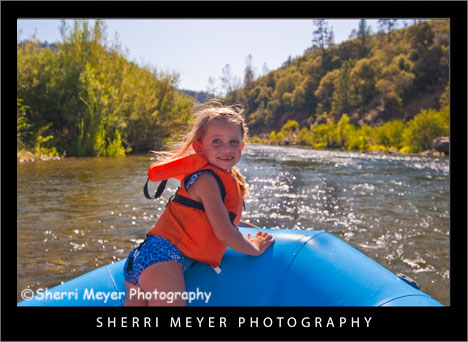
Maya Bussinger rafting on the Middle Fork of the American River, Auburn, California.
I’m putting up a couple more photos from our recent rafting trip on the Middle Fork of the American River, with our friend Donna (former Professional Raft Guide) and her 4-year old daughter Maya. I hope they like them!
About the photos
These photos were developed using Adobe Photoshop Lightroom 2. Writing this post each week is two fold. I can share a wealth of Lightroom tips with you and I can also share one or more of my images, that I have developed using Lightroom.
Would you like to know what I did in Lightroom to improve these original images? If so, feel free to ask in the comments section below.
OK all of you Lightroomers. Here are your Top 10 Lightroom Tweets of the Week in random order. Happy Lightrooming! [click to continue…]
by Sherri on September 8, 2009
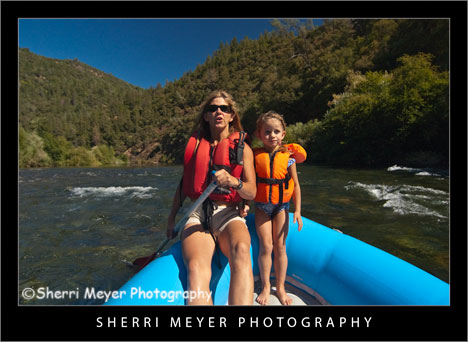
Donna & Maya Bussinger rafting on the Middle Fork of the American River, Auburn, California.
Donna & Maya Bussinger rafting on the Middle Fork of the American River, Auburn, California.
Yesterday was awesome! Jeff & I had the great opportunity to raft the Middle Fork of the American River (between Driver’s Flat and Mammoth Bar), with our friend Donna and her 4-year old daughter Maya.
This section of the the American River doesn’t draw the hoards of tourists from the Bay Area and LA like the South Fork does. There are a few reasons why. For one thing, it is only 7-miles in length. It also consists of only Class I & II rapids. Lastly, not many know about this run, which is why we love it so much. Now, I know after writing this a few more people will know about it. But, hey, if I don’t write about it someone else will. It may as well be me! [click to continue…]
by Sherri on July 25, 2009
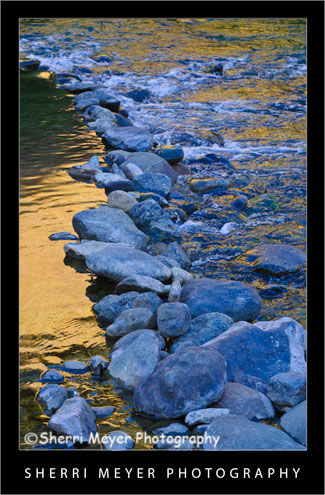 North Fork of the American River, Auburn, California.
This image was captured just a little further downstream from the photo of the rocks I posted a couple of days ago. It will be available for purchase as a fine art print soon!
Thank you for visiting. If you would like to leave a comment, simply click on the “comments” link (add your message in the box) at the bottom of this post.
You can also sign up for a “free” subscription to this Blog. Just look in the upper right hand side of the Blog under “Subscribe to Sherri’s Blog.” Then, either click on the orange button, or enter your email address and click on “subscribe.”
Visit our Stock Photo Website for links to photo galleries.
by Sherri on July 24, 2009
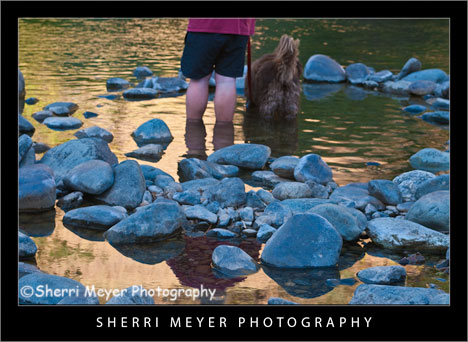 Jeff & Cocoa cooling off in the North Fork of the American River, Auburn, California. I think I shall title this photo “Rear View!”
While down at the river Monday evening, I couldn’t resist capturing these two wading in this little kiddie pool. In particular, I wanted to get a unique composition of them!
It’s Friday again and time for 10 more HOT Lightroom Tweets. Here they are in no particular order.
- @LightroomQueen New blog post: TheLightroomLab.com reviews my book http://bit.ly/Otuc0.
- @gavinseim Hitting the \ key (backslash) in Develop mode will switch you between before & after views of your image.
- @MattBallard Lightroom Workflow: How To Get Your Photos To Look Like They Did On Your Camera LCD http://bit.ly/iOXeX.
- @micurs Optimizing Lightroom for Best Performance: Top Ten Lightroom Speed Tips – http://tr.im/sJGu.
- @nyip Outstanding lightroom tutorials http://www.jkost.com/lightr…
- @mwgray 27 FREE Presets and a PHD in Toning in Lightroom, get your credentials here – http://x-equals.com/blog/?p…
- @gavinseim Just updated the free Lightroom print template presets. You can get them here http://bit.ly/s2joE.
- @lightroomblog LRB Portfolio updated to 2.13. Bug fixes, new features, etc. http://bit.ly/M6lcm.
- @heninger Lightroom Tuesday! Tips, Tricks n’ Tutorials 4 the enlightened workflowist http://heninger.org.
- @gavinseim How to install and MANAGE Lightroom presets http://bit.ly/qn3A0. Back em up folks. Back everything up!
In case you missed my previous “Top 10 Tweets of the Week” posts, you can view them all by clicking on the Top 10 Tweets of the Week category on the sidebar of this Photo Blog.
You can retweet (RT) this post, by clicking on the lime green retweet button at the bottom of this post. It will take you directly to Twitter. If you don’t know about the importance of retweeting, please refer to this post by Jim Goldstein.
Coming next week – I will be in the woods next week. My Top 10 Tweets will resume in 2 weeks!
Thank you for visiting. If you would like to leave a comment, simply click on the “comments” link (add your message in the box) at the bottom of this post.
You can also sign up for a “free” subscription to this Blog. Just look in the upper right hand side of the Blog under “Subscribe to Sherri’s Blog.” Then, either click on the orange button, or enter your email address and click on “subscribe.”
Visit our Stock Photo Website for links to photo galleries.
by Sherri on July 23, 2009
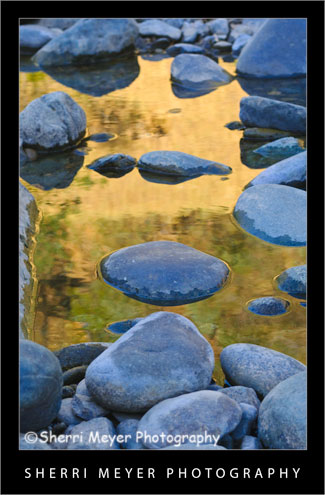
“River of Gold,” Confluence of the American River, Auburn, California.
This is another one of my favorite images, from our photo shoot down at the Confluence of the American River on Monday.
I’m keeping this really short. The main reason for this post is to try out “NetworkedBlogs.” As soon as I hit the “publish” button on this blog post, it is suppose to post directly to my Facebook page.
Let’s see if it works!
Thank you for visiting. If you would like to leave a comment, simply click on the “comments” link (add your message in the box) at the bottom of this post.
You can also sign up for a “free” subscription to this Blog. Just look in the upper right hand side of the Blog under “Subscribe to Sherri’s Blog.” Then, either click on the orange button, or enter your email address and click on “subscribe.”
Visit our Stock Photo Website for links to photo galleries.
by Sherri on July 22, 2009
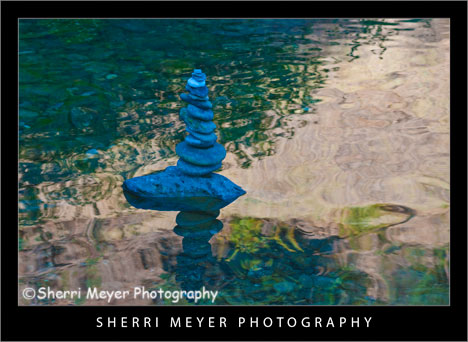 American River Rock Art, otherwise known as “Cairn,” Confluence of the American River, Auburn, California.
This image of the stack of rocks was taken on Monday, during our “Dine & Dip” down at the American River.
To escape from the heat after several days in a row of triple digit temps, we decided to take our dinner to the river. Following dinner was a very refreshing and welcomed dip in the crystal clear North Fork of the American River. I think this could become a weekly habit! [click to continue…]
by Sherri on July 15, 2009
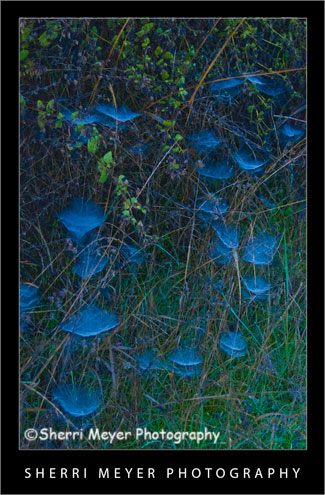 Backlit spider webs covered with dew, Auburn, California.
One fall morning while on a hike, I found these webs all lit up beautifully with backlighting and covered with dew.
Why this photo makes me say WOW!
- Backlighting – Backlighting is one of my favorite types of lighting. I think it worked really well here.
- Colors – I really love green & blue together. I think the two colors compliment each other well. Our house is even decorated with green & blue.
- Uniqueness – It’s not every day you get to witness dewey, backlit spider webs. If it hadn’t been for the fact that I was trying out my brand new first DSLR (a Nikon D70) and looking for things to photograph, I could have missed this opportunity. The others I was hiking with didn’t even notice them!
I hope you keep your eyes wide-open next time you are out and about with your camera. You just never know what you might stumble upon!
Thank you for visiting. If you would like to leave a comment, simply click on the “comments” link (add your message in the box) at the bottom of this post.
You can also sign up for a “free” subscription to this Blog. Just look in the upper right hand side of the Blog under “Subscribe to Sherri’s Blog.” Then, either click on the orange button, or enter your email address and click on “subscribe.”
Visit our Stock Photo Website for links to photo galleries.
by Sherri on July 13, 2009
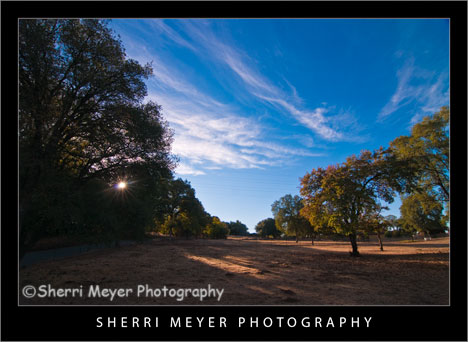
Photo #1 - My neighborhood, rural Auburn, California.
While looking through my images this morning for an image to makeover, I came across this one. This is very much the way the lighting would look at this location if we were walking right now.
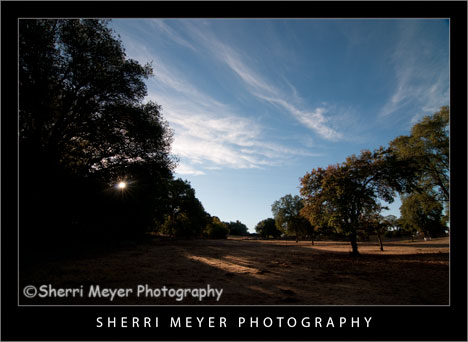
Photo #2 - This is the way the photo looked straight out of the camera.
Can you guess what I did to photo #2 below to get the results you see in the top photo? Bring on the guesses. I’d love to hear from you. While it’s pretty tough to guess exactly what all was done, some of you come pretty darn close. I will reveal the answers later in the week. Thank you in advance for your participation!
Thank you for visiting. If you would like to leave a comment, simply click on the “comments” link (add your message in the box) at the bottom of this post.
You can also sign up for a “free” subscription to this Blog. Just look in the upper right hand side of the Blog under “Subscribe to Sherri’s Blog.” Then, either click on the orange button, or enter your email address and click on “subscribe.”
Visit our Stock Photo Website for links to photo galleries.
Monday’s Makeover Update:
Well, I didn’t get a whole lot of responses, but thanks to Matt and Hali for your participation! Here is what I did in Lightroom to improve my original photo:
- Made a virtual copy.
- Set white balance to daylight.
- Set recovery to 10.
- Set fill light to 25.
- Set blacks to 0.
- Set clarity to 50.
- Set vibrance to 80.
NOTE: Unfortunately, I don’t have time to post a Monday Makeover this week. I have taken on a few new projects that are eating up my blogging time.
by Sherri on June 29, 2009

Photo #1 – Historic Auburn Courthouse, Auburn, California.
This beautiful building has become one of my favorite local subjects to photograph. It is so close to home, I can return and capture it’s beauty each season, at different times of the day and under many different lighting situations!

Photo # 2 – This is what the photo looked like straight out of the camera.
The Makeover – (Lightroom)
- Added +25 fill light.
- Adjusted the Clarity to +100.
- Adjusted the Vibrance to +60.
That’s all folks. I hope you enjoyed this “Monday’s Makeover.” Opinions are always welcome!
Thank you for visiting. If you would like to leave a comment, simply click on the “comments” link (add your message in the box) at the bottom of this post.
You can also sign up for a “free” subscription to this Blog. Just look in the upper right hand side of the Blog under “Subscribe to Sherri’s Blog.” Then, either click on the orange button, or enter your email address and click on “subscribe.”
Visit our Stock Photo Website for links to photo galleries.
by Sherri on June 22, 2009

Photo #1 - Kayaking on the South Fork of the American River, near Coloma, California.
Today’s makeover is just for fun. This photo probably wouldn’t cut it for publication, but we don’t have to be serious all the time do we?
Every since I started using Lightroom 2, I haven’t done much with PhotoShop CS3. I used to love playing around with the filters and the distort filter Spherize was one of my favorites.

Photo #2 - This is what the photo looked like straight out of the camera.
The Makeover – (Lightroom)
- Created a Virtual Copy.
- Set White Balance to daylight.
- Used the Nikon D300 preset.
- Increased the Highlight Recovery to tone down the hot spots.
- Increased the Luminance Smoothing to reduce the unwanted noise.
The Makeover – (PhotoShop CS3)
I used the distort filter Spherize. What I like about this filter is that it brings the subject in closer. It also kind of looks like the photo has a frame around it.
I hope you enjoyed this “Monday’s Makeover.” Opinions are always welcome!
Thank you for visiting. If you would like to leave a comment, simply click on the “comments” link (add your message in the box) at the bottom of this post.
You can also sign up for a “free” subscription to this Blog. Just look in the upper right hand side of the Blog under “Subscribe to Sherri’s Blog.” Then, either click on the orange button, or enter your email address and click on “subscribe.”
Visit our Stock Photo Website for links to photo galleries.
