by Sherri on January 29, 2010
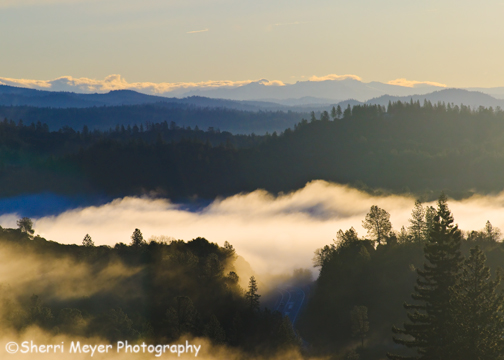
Foggy January morning over the American River Canyon, Auburn, California. This image was processed with the wonderful Adobe Photoshop Lightroom 2.
Hi everyone! You probably thought I had disappeared and was never coming back. No, that isn’t the case at all. I’m just spread a little too thin right now and I had to space these very time intensive posts out a little bit. I hope you understand!
That said, I have put together another collection of mighty fine Lightroom tips for you. Here they are in random order. Enjoy and have an awesome weekend! [click to continue…]
by Sherri on January 28, 2010
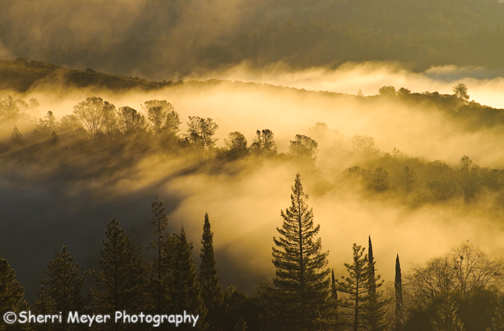
Fog hovers over the American River Canyon, Auburn, California. This image was developed in Adobe Photoshop Lightroom 2.
After 12 days straight of rain, there was a major case of “Cabin Fever” at Der Meyer Haus! Yesterday, the sun finally showed it’s pretty face and Jeff, our dog Cocoa and I took a hike. 😉
As we were driving to the Stagecoach Trail, we were rewarded with this scene above. It was a definite cure all for “Cabin Fever!” Fog hovering over the American River like this is very common this time of the year, but it does require a bit of planning to get shots like this of it. If you are not willing to get up and get out early, you will miss the golden opportunity!
More images of our foggy morning adventure to come soon! To see more of our Auburn images, please visit our Auburn Stock Photo Gallery.
Thank you for visiting. If you would like to leave a comment, simply click on the “comments” link (add your message in the box) at the bottom of this post.
🙂 Sherri
by Sherri on December 10, 2009
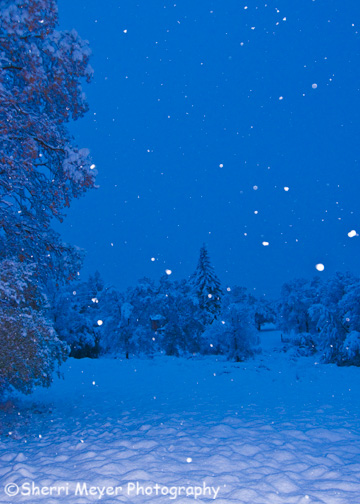
This snowy landscape image was taken in the field below our cabin (Auburn, California), during this weeks "Big Sierra Snowstorm." It was developed using Adobe Photoshop Lightroom 2.
WOW! In what seemed like a split second, we went from Fall to Winter here in the Sierra Foothill’s! A major storm blew through here on Monday and it was (and still is) a winter wonderland!
The big storm dumped about 8″ of fluffy white stuff here at our cabin, which made for unlimited photographic opportunities. Jeff & I captured nearly 600 new images. Some of the “keepers” have been uploaded to facebook already on my personal page. Soon, I will be adding more to my Business Fan Page. I will also be adding additional images to this Photo Blog.
Here is a partial list of subjects we photographed:
- Scenes in our rural Auburn neighborhood – barns, landscapes, cabins, unique scenes and more.
- Nature close ups including leaf patterns, ice cycles, red berries.
- Unique holiday decorations – peace signs, Santa riding on a Longhorn and more.
- Old Town Auburn all dressed up for Christmas.
- Scenes along Lincoln Way including the Chamber of Commerce, & street scenes.
- Adventure – 4×4, cross country skiing.
- The American River in the snow.
- Some of Auburn’s Icons – Historic Auburn Courthouse, Volunteer Fire Department & Foresthill Bridge.
NOTE: If you are looking for any of these Auburn subjects that were captured during this weeks Sierra Snowstorm, let us know. We can arrange to send you a private gallery of those subjects. The images will be available for ordering as a print and for licensing. We offer commercial, editorial & personal image licensing. To learn more, please see our Ordering Information page.
Thank you for visiting!
~Sherri
by Sherri on November 13, 2009
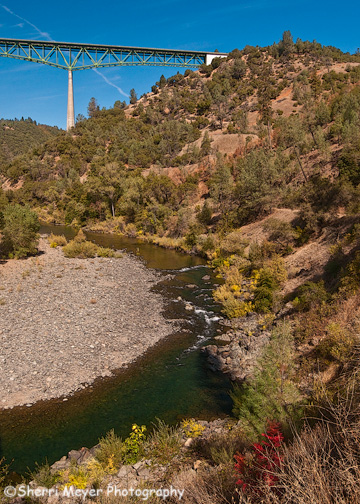
Fall colors along the North Fork of the American River, with the Foresthill Bridge in the background, Auburn, CA. I used Adobe Photoshop Lightroom 2 & CS3 to develop this image.
Are you ready for 10 more great Lightroom tips? I sure hope so. Because that is exactly what you are going to get.
Here are your Top 10 Lightroom Tweets of the Week in random order. Please feel free to link this post to your site. The more folks that receive these tips the better!
Happy Lightrooming and have a great weekend everyone! [click to continue…]
by Sherri on November 11, 2009
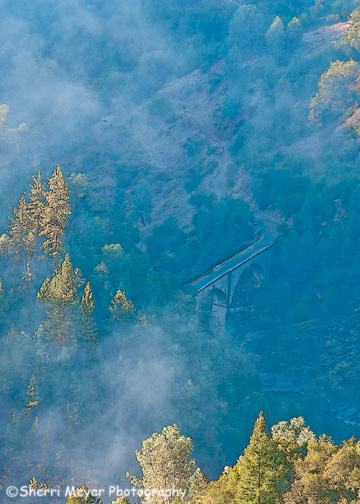
No Hands Bridge surrounded by fog, Auburn, California. This image was processed using a combination of Adobe Photoshop Lightroom 2 & Adobe Photoshop CS3.
No Hands Bridge is one of Auburn’s famous icons. It is really fun to photograph it, especially if you are able to capture it when it is surrounded by fog! You can do a search on this blog to see more photos I have taken of it.
Enjoy!
by Sherri on October 30, 2009
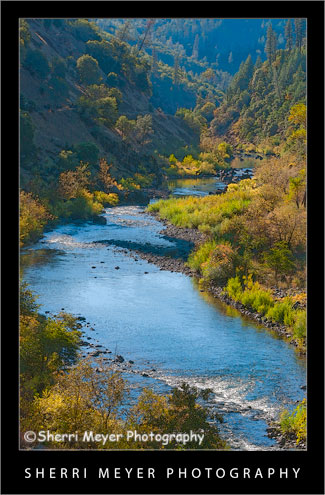
Fall color along the North Fork of the American River, Auburn, California. This image was developed using Adobe Photoshop Lightroom 2.
Wow. It’s true. The older you get the faster time flies. I can’t believe it’s been two weeks, since I posted my last Top 10 Lightroom Tweets of the Week post!
Last week, Adobe Photoshop announced their Beta version of Lightroom 3. I haven’t had a chance to try it yet, but a lot of folks have and they have been tweeting about it – A LOT! [click to continue…]
by Sherri on October 22, 2009
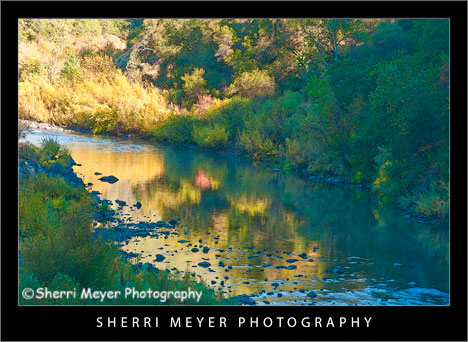
Fall reflections on the North Fork of the American River, Auburn, CA. This image was processed using a combination of Adobe Photoshop Lightroom 2 & CS3.
Adobe has just announced their Beta version of Photoshop Lightroom 3.
The good news is spreading like wildfire throughout the Twitter and facebook communities. I’m going to keep that wildfire going, by posting the news here as well.
If you have been wanting to try Adobe Photoshop Lightroom, but haven’t had the jingle in your jeans, now is your golden opportunity. [click to continue…]
by Sherri on September 4, 2009
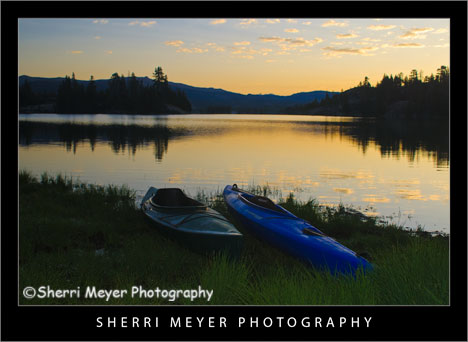
Sunrise and kayaks at Utica Reservoir, Alpine County, California.
You may have noticed that I didn’t post my Lightroom Tweets last week and maybe you didn’t.
My plan at this time is to post them every other week, until I get the Website project I’m working on closer to finished. It may work out that I continue to post them every other week. That will give everyone more time to try the tips out, including me! [click to continue…]
by Sherri on September 2, 2009
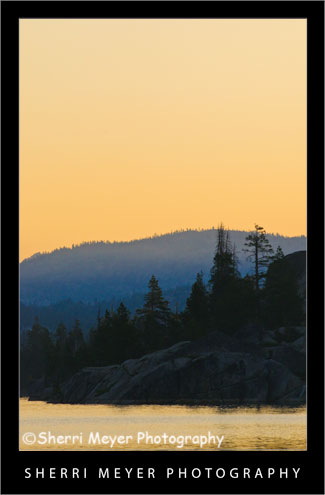
Sierra Sunrise over Utica Reservoir, Alpine County, California.
Sierra Sunrise over Utica Reservoir, Alpine County, California. This was also taken during our recent camping trip.
We’ve been really busy working on a major Website project and I haven’t had a chance to post for a few days. Today, I decided I had to post something no matter what.
Here is an overview of what we are working on:
- We are adding a collection of new images to our on-line galleries.
- Some of our images are getting moved to our new archive, but they will still be available for purchasing as prints and for licensing.
- We are preparing to offer a few new services. I’ll keep those a secret for now.
- We will be rescanning some of our slides.
- And more…
We hope to have the things mentioned above completed in 3-4 more weeks. After that, we will be concentrating on adding hundreds of new images to our galleries and archive. In the meantime, I hope to get back to posting on this blog a bit more often than I have been!
Thank you for visiting. If you would like to leave a comment, simply click on the “comments” link (add your message in the box) at the bottom of this post.
You can also sign up for a “free” subscription to this Blog. Just look in the upper right hand side of the Blog under “Subscribe to Sherri’s Blog.” Then, either click on the orange button, or enter your email address and click on “subscribe.”
Visit our Stock Photo Website for links to photo galleries.
by Sherri on August 14, 2009
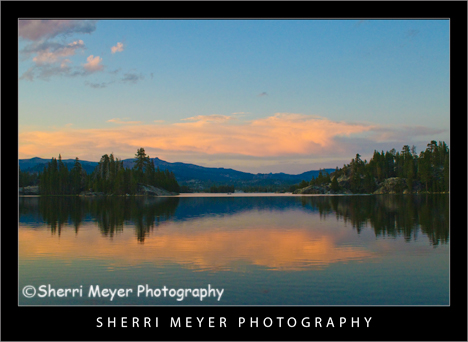
Sunset at Utica Reservoir, Alpine County, California.
You can just about count on a great sunset and sunrise at Utica Reservoir. When we first visited this mind blowing place 26 years ago, our experience was no different. You can read all my posts about Utica Reservoir here.
This week I have a surprise for YOU! I went through all of my past “Lightroom Tweets of the Week” and handpicked some of the ones that have been most helpful to me up until now.
Which ones have been the most helpful to you?
Please let me and the other readers of this blog know your answers, by leaving a comment in the comments section below. Many thanks!
Here are the “Best of the Best Lightroom Tweets of the Week!”
- @LightroomQueen Use LR for contact sheets, verses PS for more control. It also saves as it goes. Add your ID plate 2 personalise.
- @ dianeschuller Scott Kelby’s book http://tinyurl.com/nmzwtu is a must have to get the most out of Lightroom.
- @ephotopros Lightroom 2 Twip: Experiment on a virtual copy, not the original. CTRL/Command ‘ to make a virtual copy.
- @MattKloskowski on Lightroom Killer Tips – Don’t forget about History > http://twurl.nl/k2x2nx.
- @xequals if you haven’t been playing with the Luminance sliders in Lightroom you’re missing out! http://x-equals.com/blog/?p…
- @RichLeighton Lightroom Keyboard Shortcut Quick Reference http://bit.ly/BORl2.
- @gmwils Watching Terry White’s Lightroom workflow video: http://bit.ly/pt6hz.
- @ashumittal Creating a Triptych in Lightroom http://bit.ly/1Tjc8.
- @MattKloskowski Posted another Before/After Lightroom & Photoshop tutorial on my blog. Check it out http://tiny.pl/3k6d.
- @pixum Add a light Source in Lightroom in 5 Easy Steps. http://bit.ly/77jkl
In case you missed my previous “Top 10 Tweets of the Week” posts, you can view them all by clicking on the Top 10 Tweets of the Week category on the sidebar of this Photo Blog.
You can retweet (RT) this post, by clicking on the lime green retweet button at the bottom of this post. It will take you directly to Twitter. If you don’t know about the importance of retweeting, please refer to this post by Jim Goldstein.
Thank you for visiting. If you would like to leave a comment, simply click on the “comments” link (add your message in the box) at the bottom of this post.
You can also sign up for a “free” subscription to this Blog. Just look in the upper right hand side of the Blog under “Subscribe to Sherri’s Blog.” Then, either click on the orange button, or enter your email address and click on “subscribe.”
Visit our Stock Photo Website for links to photo galleries.
